

Facebook is the most used and popular social networking site. People used Facebook for many purposes like an advertisement, for famous, messaging, etc. But sometimes your account faces a problem or is disabled, so here you should learn how to recover your Facebook account. There are many reasons for the disabled account. And also know how to reset a Facebook password.
How to recover a hacked Facebook account without a phone number
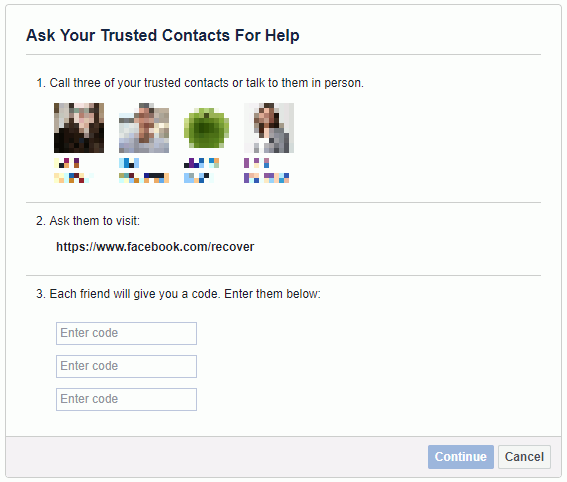
Use the Trusted Contacts feature –
Sometimes ago, Facebook launched a new feature named Trusted contact. It is a good idea to recover your Facebook account.
If your password has changed – How to reset Facebook password–
When hackers change the password to your account, you can not access your account, so you can change your password with the given steps. Given steps for how to recover a hacked Facebook account.
1- If you still have access to your email, then you simply go to forget the password option at the Facebook login page.
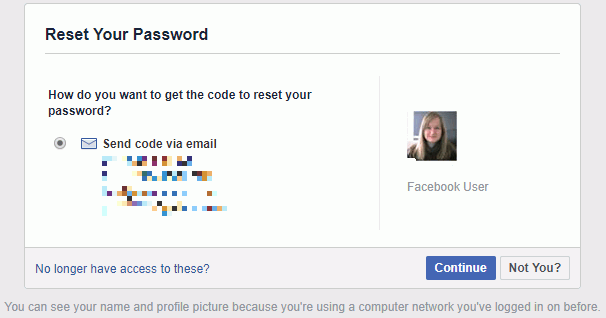
2- Facebook redirects you to another page and ask your username, email address, or phone number. Enter any one option.
3- Facebook will find your account by the information you.
4- A recovery code will be sent to your given options.
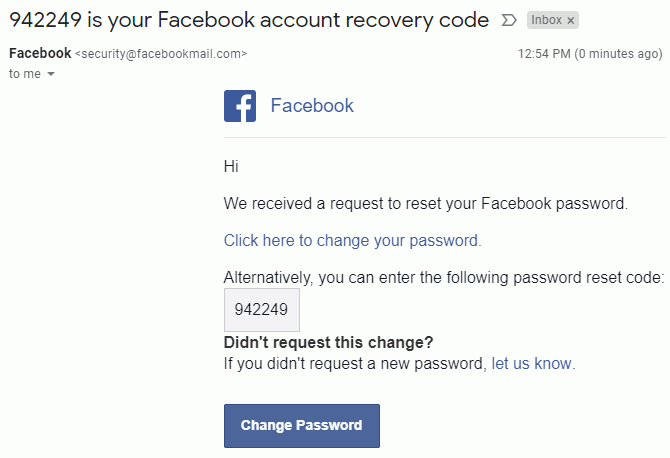
5- Enter your code and set your password again.
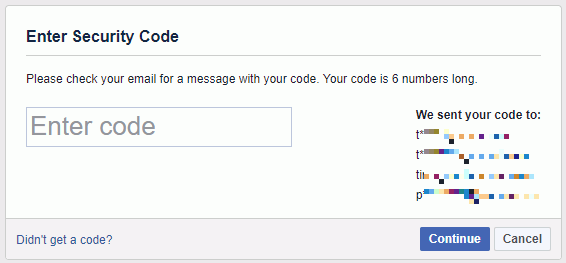
If no access to your Email-
If the hacker changed your Email address, then you can access your account by given steps.
1- Click the forget password options.
2- Now enter your Username or Email Address, Facebook will find your account.
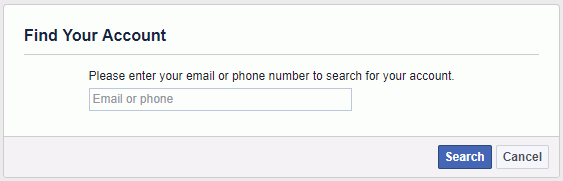
3- Once you find your account, click on the dialogue box and reset the password.
4- If you no longer have access, you cannot access your Email address.
5- If your account is old, then use the security question options.
6- New Facebook users choose a trusted user contact.
New Method of how to recover a Hacked Facebook Account
If none of the given methods worked, then use this new method that Facebook launched in May 2019.
1- Open the device where you mostly log in and logout Facebook.
2- Just try to recover the password from those devices
3- If the device is then there is no need for verification during Facebook password reset.
4- For being highly successful in that way, you should use your most used wifi services.
Verify your identity to recover a disabled Facebook account-
1- Go to https://en-gb.facebook.com/help/contact/183000765122339
2- Fill the form
3- Attached government proof id
4- Send the form to Facebook
5- After 2 days, Facebook will send a recovery email.
These are the steps for how to recover the Facebook account. Facebook also has the two-step verification method. When you enable it, then go to your security settings and click on “Login Approvals”. After this, Facebook will always ask for the security code, which is sent by Facebook on mobile number, whenever your account is logged in to a new device by you or another.



2 comments
Like!! Really appreciate you sharing this blog post.Really thank you! Keep writing.
I hope that you won’t stop writing such interesting articles. I’m waiting for more of your content. It’s so good that i’m going follow you!